How do I change or remove best offer settings for an item?
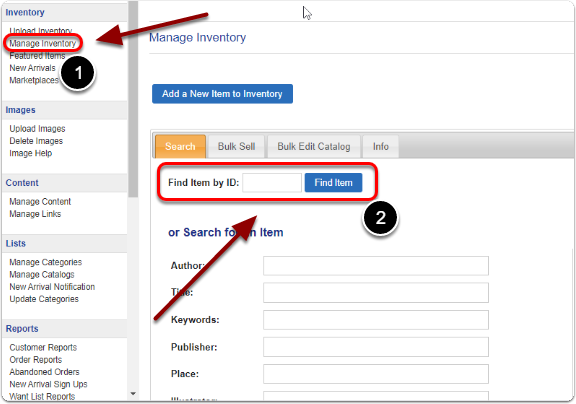
Click on "Manage Inventory" and find your item using it's item ID.
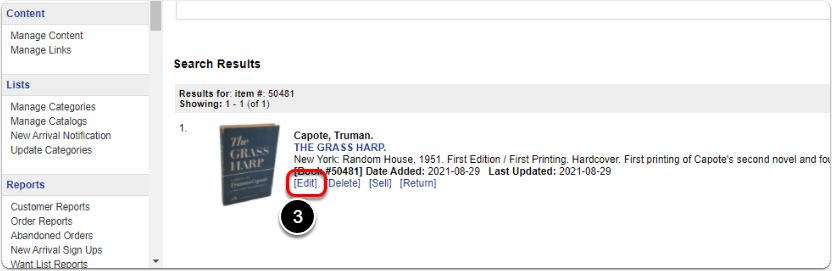
Scroll down to the Search Results, find your item and click "Edit".
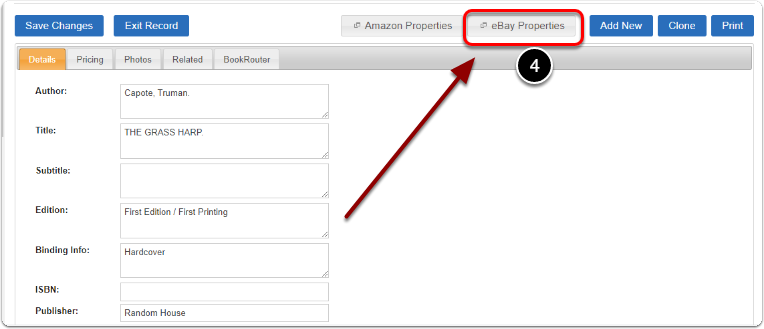
Click on "eBay Properties"
To remove the "Best Offer" option from this items eBay listing, First click "Change" and then uncheck "Allow Best Offer". When you are finished, click the "Save Properties" button.