How do I process orders?
If you are using a payment gateway such as Square, Braintree, or Authorize.net, credit cards will not be available here. They will be charged through your gateway.
You will receive an email informing you when an order has been placed. Login to your Admin/Control Panel to retrieve or process payment information.
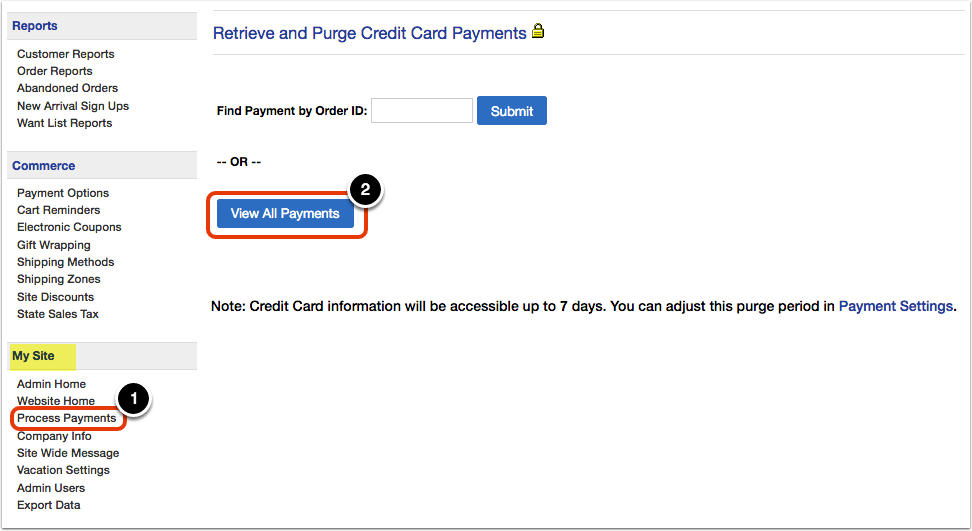
First, click on the 'Process Payments' link under the 'My Site' heading in the Control Panel menu. Then, click on the 'View All Payments' button to see all recent orders.
Credit card information is purged from the system automatically after 7 days. This can be adjusted on your Payment Settings page.
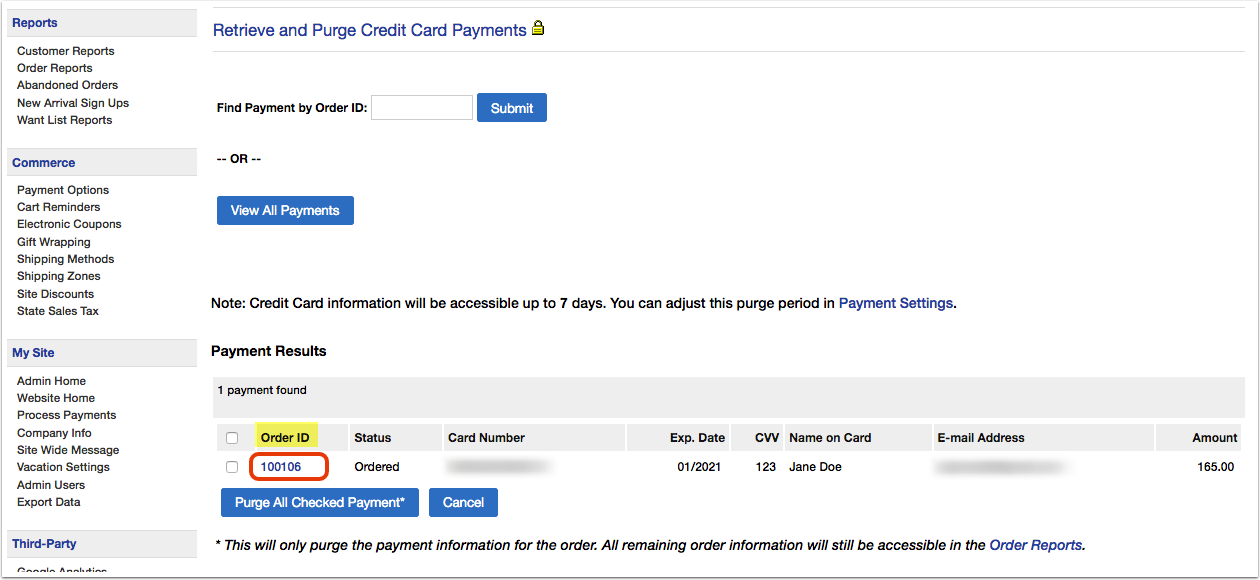
A list of orders will appear, showing the payment details. You can click on the 'Order ID' to view more details.
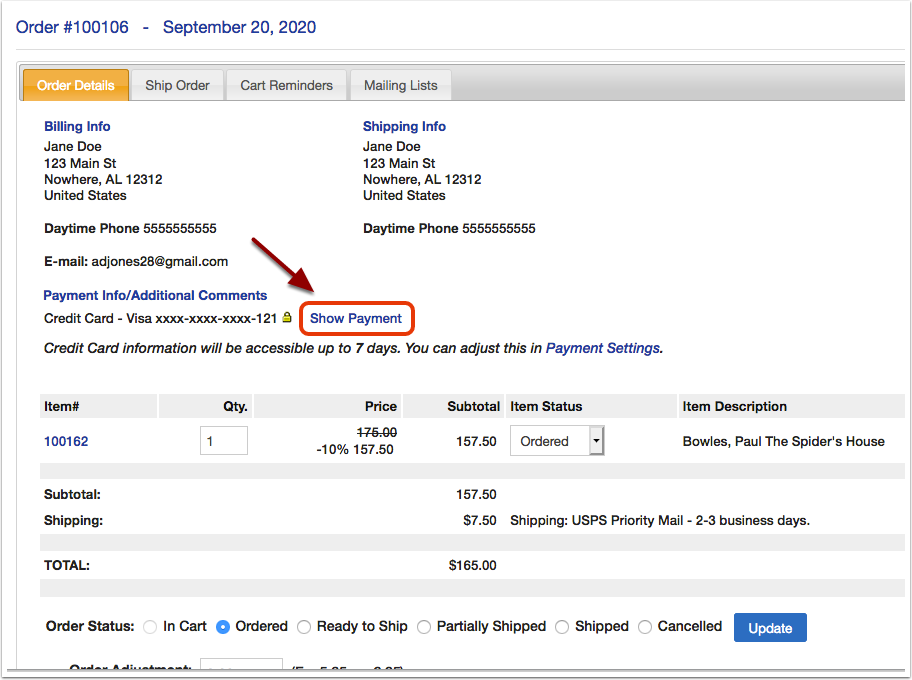
From the 'Order Details' page you can show credit card information by clicking the 'Show Payment' link.
When you have finished processing the payment, this article explains how to update the order with shipment information.