How do I set up a discount with a minimum purchase? (ex. 20% off if you order $50+)
Discounts are applied to all eligible items in your inventory unless you have specifically excluded them from being discounted.
You can advertise your discount with a site-wide message.
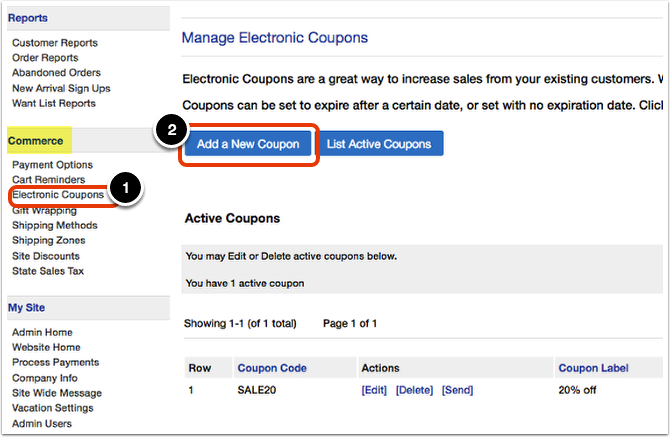
Click on the 'Electronic Coupons' link under the 'Commerce' heading in the Control Panel menu. Then, click 'Add a New Coupon.'
In the 'Coupon Information' section:
- Type in a 'Coupon Code' (ex. 50SALE20). This field is required even if you are setting up an automatic discount.
- Type in a 'Coupon Label' (ex. 50SALE20). The customer will see the label in their cart and know that they have activated the discount.
- If you would like to limit how many times the discount can be applied, choose 'Yes' next to 'Limit Use' and type in the number of uses next to 'Only allow coupon to be used __ times per email address.'
If you do not want to limit the coupons use, then choose 'No' and leave the other field blank.
- If you would like the discount to be automatic (no coupon code required), then next to 'Assign to Customer' choose the empty email field and leave it blank (highlighted in the screenshot below).
If you are requiring a coupon code, choose 'No.'
- For 'Activation Method,' choose 'Enter Code' or 'Automatic' accordingly.
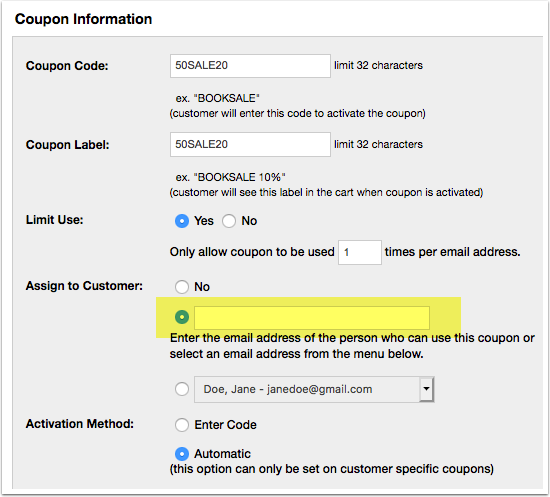
In the above example, any customer who has $50 or more worth of items in their shopping cart will automatically receive 20% off their total purchase, no code required. Customers will only be able to receive this discount once per email address.
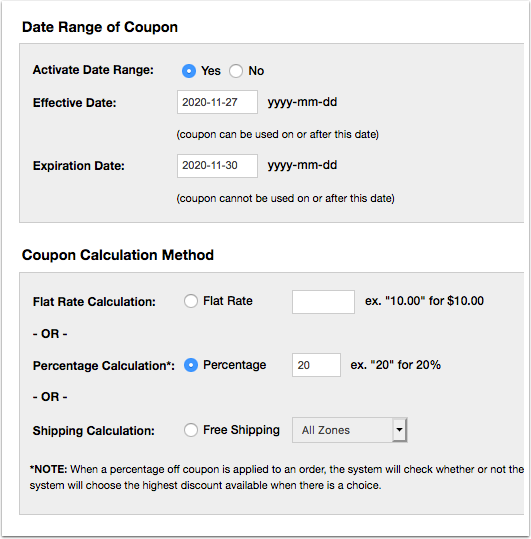
In the 'Date Range of Coupon' section, you can choose 'No' and the discount will apply until you decide to deactivate it. Or, you can choose 'Yes' and specify a date range.
In the 'Coupon Calculation Method' section, specify the type and amount of discount.
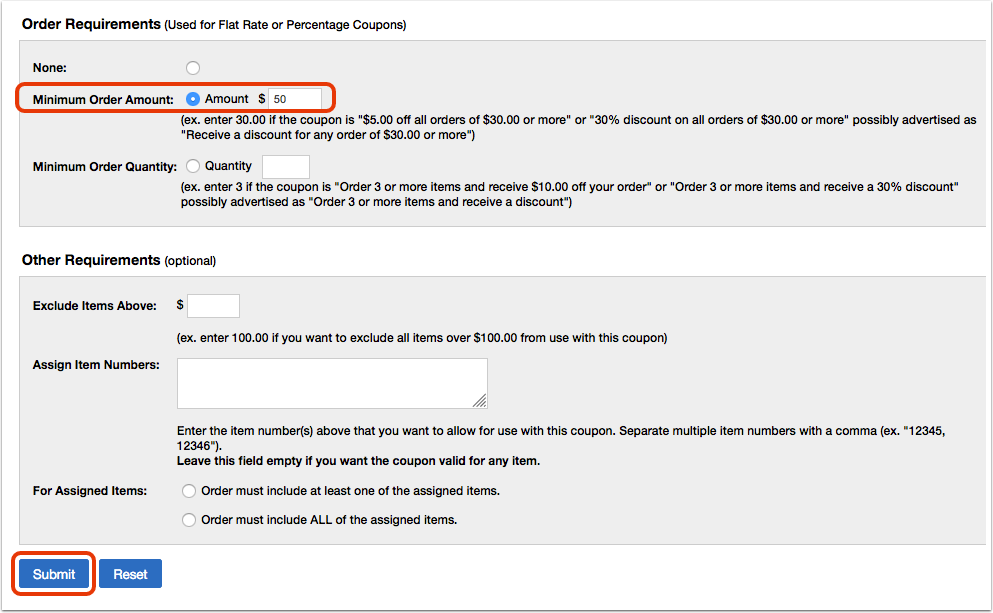
In the 'Order Requirements' section, click the button next to 'Minimum Order Amount' and specify the amount.
In the 'Other Requirements' section, specify any exclusions, etc. if desired.
Then, click the 'Submit' button.
If you did not specify a date range, then the discount will take effect immediately. If you specified a date range, then the discount will take effect on that date.