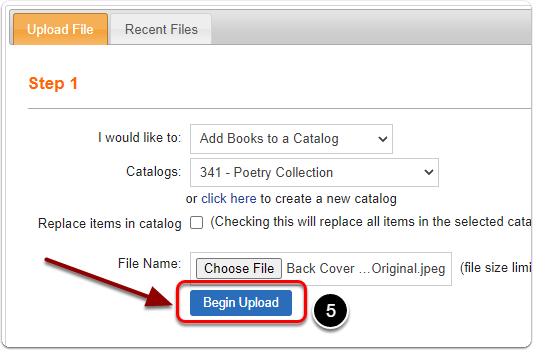
How do I upload books to a 'Catalog'?
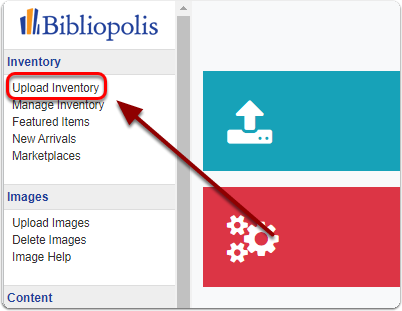
1) Click on 'Upload Inventory' under the 'Inventory' heading of the Control Panel.
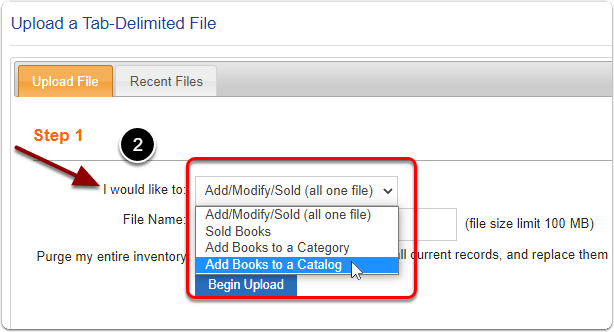
2) Next to the 'I would like to:' prompt, select 'Add Books to a Catalog'.
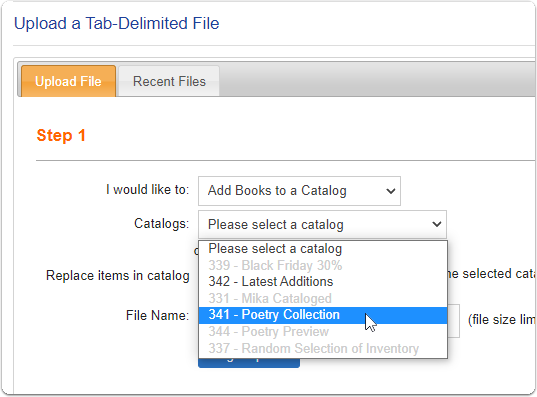
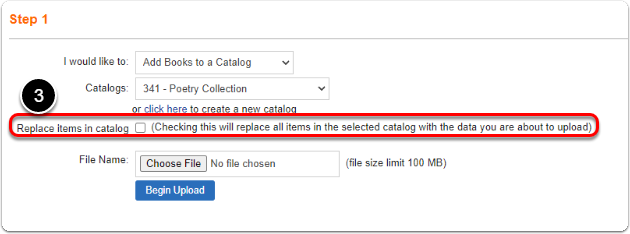
3) Next to the 'Catalogs' prompt, select the catalog you would like to upload books to.
3) The next prompt is 'Replace items in catalog', checking this will replace all items in the selected catalog with the data you are about to upload. If you'd like to simply add to this catalog leave this box unchecked.
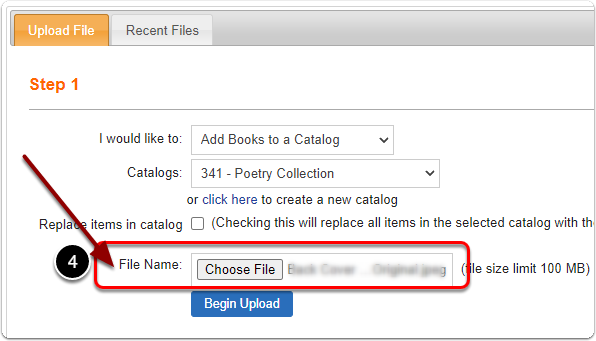
4) Next to 'File Name:' click the 'Choose File' button. Open your tab delimited file.
5) Click the 'Begin Upload' button.