How do I setup and enable or disable the other interests feature of the new arrivals sign up?
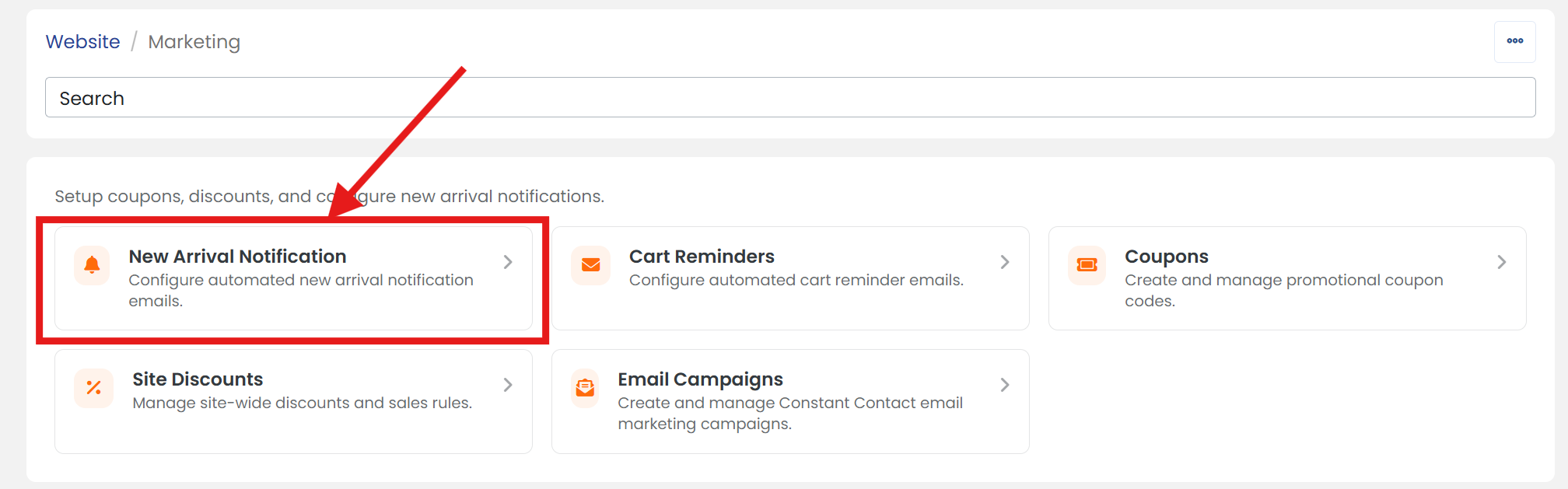
1) Click 'Marketing' under the 'Website' heading of the 'Control Panel'.
2) Click 'New Arrival Notification' section to open it's settings page.
3) Click the 'ADVANCED' tab.
4) Next to 'Enable "Other" Option' select 'Yes' to enable or 'No' to disable.
 When the "other" field option is enabled, your customers are given a text field that allows them to specify other collecting interests. Text submitted to this field is not searched or matched in any way.
5) If you selected 'Yes' to enable the 'Other' option, Next to 'Other Field Label' name your 'Other Field' how you'd like it to be presented to customers.
6) When you are finished, scroll up/down and click the 'SAVE' button.