How do I delete images?
1) Click on 'Images' under the 'Inventory' heading of the Control Panel.
2) Go to the 'REMOVE IMAGES' tab.
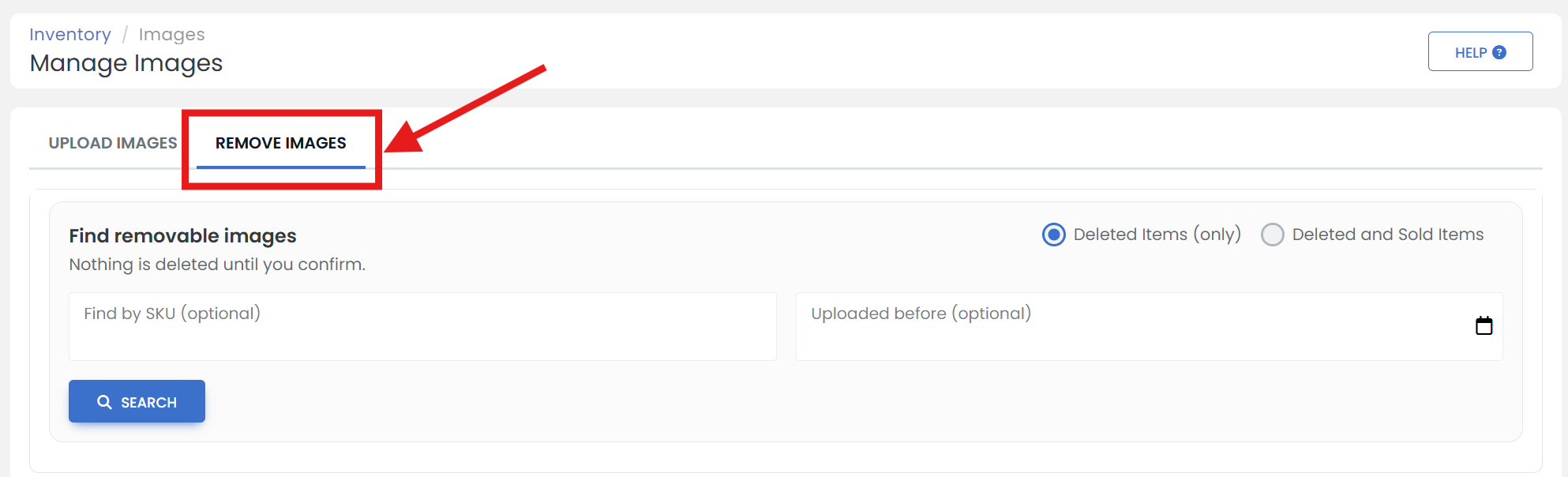
3) On this page you are able to find all the images that are no longer in use. You will be able to review each image before anything is deleted. Choose to search just your 'Deleted Items' or your 'Deleted and Sold Items'.
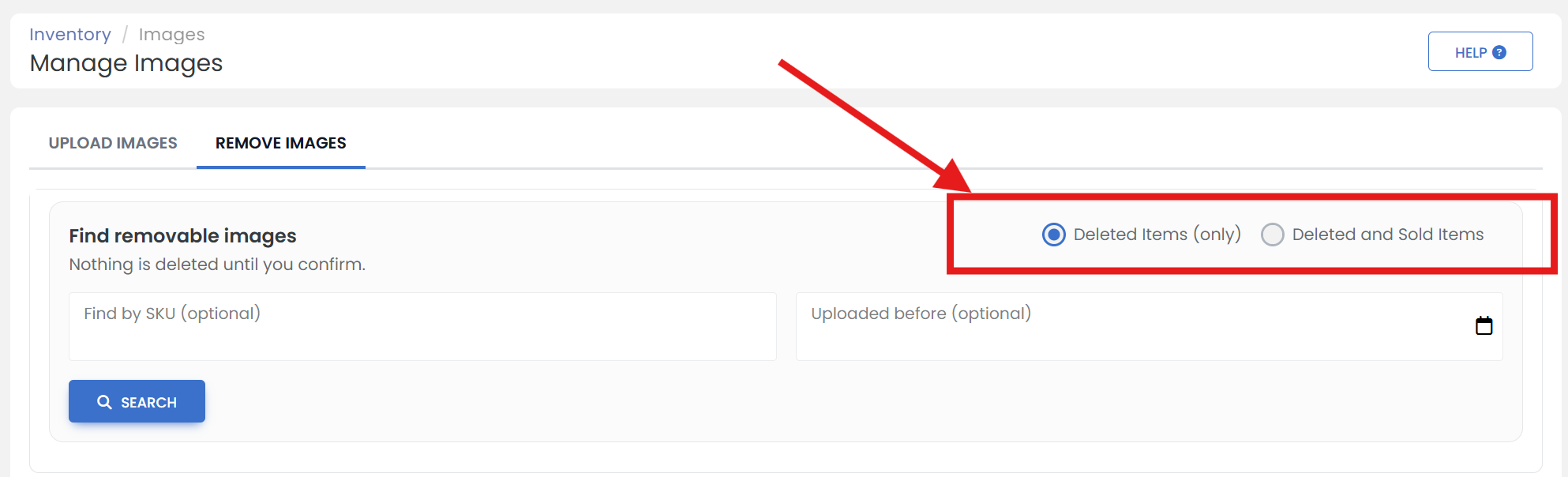
4) If for instance you'd like to delete all images of items sold or deleted over 2 years ago, Select the date you'd like to search before by clicking on 'calender' icon.
This opens a calendar where you can select the specific date. Click 'OK' button to select.
5) Click the 'SEARCH' button.
6) Check all the images you would like to delete from the server & click the 'DELETE CHECKED' button, Or if you'd like to delete all the images within your search criteria, click the 'DELETE ALL...' dropdown menu and select 'Delete all images' option.